Home »
Content Added under Category » PDF Converters
You'r in [ PDF Converters ] CATEGORY. Choose Your Content from the LIST Below.
Perhaps there are among you who want to save or change files into MS Word format PDF File? PDF stands for Portable Document Format is now commonly used to create e-book files,correspondence, or the Form or form was another important document that is often made in the form or this PDF File Format.
Actually it is very easy to write a document in the form of this PDF File Format. One of them using software Word To PDF Converter3.0, using the Software. One way we make the previous document using MS Word, then save them as PDF File Format. With this software we will be very easy to change or convert to MS Word File(DOC) to a File to PDF File Format.
Not only Software Applications or MS Word only, but in fact Software Word To PDF Converter 3.0 can be used in almost all applications,so that we have to install Software PDF Converter is can we file as Program Save as MS Word, Excel, PDF or other software that by default is not actually available on the application so we will be very easy to Convert Document to PDF form.
DOWNLOAD:
 VeryPDF PDF to Word Converter
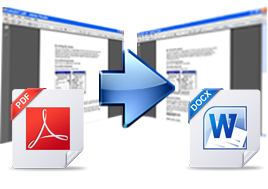
 can edit and reuse PDF contents by exporting the text, images and other contents from PDF files into Microsoft Word (DOC / DOCX) and Rich Text Format (RTF). The text, images, fonts and layouts of the original PDF files will be exactly preserved in the converted Word documents. VeryPDF PDF to Word has its own PDF interpreter, so it does
NOT require Adobe Acrobat, Acrobat Reader or any other third-party PDF reader or maker.
Supported Operating Systems
Microsoft Windows 98/ME/NT/2000/XP/2003/Vista/7/2008 of both 32-bit and 64-bit.Key Features of VeryPDF PDF to Word Converter
Convert PDF to Word (DOC, DOCX and RTF)
- Input format: PDF, support the latest PDF format.
- Output formats: DOC, DOCX, RTF. Convert PDF to multiple document formats.
- Support encrypted PDF: convert encrypted PDF files that are protected by owner (permission) password denying printing, editing, and copying to Word documents.
- Reconstruction Modes: provide several reconstruction modes.

Convert PDF to Word quickly and easily
- Support batch conversion: convert multiple documents from PDF to Word/RTF one time.
- Support drag and drop: you can just drag and drop PDF files to the interface of the application.
- Select page range: you can select all the pages, individual pages, or page ranges for conversion.
- View after conversion: converted files can be automatically opened when conversion is completed.

Retain PDF all contents into Word
- Images and graphics: option to delete or retain graphics and pictures from the generated Word documents.
- Text boxes: option to flow text from PDF to MS Word without text boxes. You can also preserve the text boxes if you like.
- Modifiable text: the contents of PDF files can be edited after you convert PDF to Word or RTF. You can highlight, copy, modify and deleted the text in the generated Word or RTF documents.
Feature of VeryPDF PDF to Word Converter
- Convert PDF to Microsoft Word (DOC, DOCX) and Rich Text Format (RTF).
- Support MS-DOS command line operations.
- Easily drag and drop PDF to interface and convert.
- Do not need third-part PDF related software.
- Support PDF format version up to 1.8.
- Support batch conversion.
- Convert specified pages of PDF.
- Accurately retain text, graphics, fonts and layouts of original PDF.
- Option to remove graphics components of PDF in conversion.
- Have several different reconstruction modes for conversion.
- Support PDF in languages of English, French, German, Italian, Chinese Simplified, Chinese Traditional, Czech, Danish, Dutch, Japanese, Korean, Norwegian, Polish, Portuguese, Russian, Spanish, Swedish, etc.
DOWNLOAD:



 Submit your Email Address to Get Free latest Contents From FileXOne! Directly to your Inbox


.jpg)


